


If you own land in Maharashtra, or you’re planning to buy a plot, one question comes up again and again: how do you know if a mutation entry on your property has actually been recorded, without driving to the Talathi office and waiting in line?
That’s exactly the gap Aapli Chawdi fills.
This guide walks you through what Aapli Chawdi is, what information it shows, and how to use it step by step to check your 7/12 mutation, property card entries, and measurement notices from your phone or laptop.
What is Aapli Chavdi? | Complete Guide to 7/12, Mutation and Map Information
Aapli Chavdi (आपली चावडी) is an online portal run by the Revenue and Forest Department of the Government of Maharashtra. In Marathi, “Aapli” means “our” and “Chawdi” refers to the village notice board, the physical spot where land-related announcements used to be pinned up for everyone to see.
The portal is simply the digital version of that board. Instead of walking to the village chavdi or the Talathi’s office to read a paper notice, you now open a website and check the same information from anywhere.
It matters because land ownership records in Maharashtra don’t update automatically the moment a sale happens. There’s a process called mutation (ferfar) that has to be completed first, and until it is, the old owner’s name can still appear in official records. Aapli Chawdi is the tool that lets you track exactly where that process stands.
Table of Contents
- What is Aaplichawdi?
- What Information is Available on Aaplichawdi?
- How to View 7/12 Mutation Notice on Aaplichawdi?
- How to View Mutation Entries on Aaplichawdi?
- How to View Measurement Notice on Aaplichawdi?
- कायदेशीर सल्ल्यासाठी नोंदणी करा
- Benefits of Aapli Chavdi
- Things to Keep in Mind While Using Aapli Chavdi
- Difference Between Aaplichawdi and Mahabhulekh
- FAQ – Aapli Chavdi
- Conclusion
What is Aaplichawdi?

Aaplichawdi is a free, publicly accessible digital service that displays village-level land record notices for citizens across Maharashtra. It was built so that landowners, buyers, tenants, and legal heirs don’t have to depend on a physical notice board that only a handful of people ever actually saw.
Before this portal existed, if you wanted to know whether a mutation was pending on your survey number, your only option was to visit the Talathi office in person. Most people simply never checked, and disputes often surfaced only after a transaction had already gone through.
With Aaplichawdi, that entire process moved online. You select your district, taluka, and village, and the portal shows you every relevant notice that the Talathi has published for that location, including which mutations are pending, which have been approved, and which measurement or survey notices are currently active.
The service is meant to run alongside Mahabhulekh, Maharashtra’s main land records portal, rather than replace it. Mahabhulekh gives you the finalized 7/12 extract; Aapli Chawdi shows you the notices and status updates that happen before and during that record gets updated.
What Information is Available on Aaplichawdi?
Aaplichawdi organizes land-related notices into a few clear categories. Each one covers a different type of record, so it helps to know which section applies to your situation before you start searching.
1. 7/12 (Mutation)

This section shows mutation notices connected to the 7/12 extract, which is the primary ownership record for agricultural land in Maharashtra. Every time land changes hands through sale, inheritance, gift, or partition, a mutation entry gets created here first.
Checking this section tells you:
- Whether a mutation application has been filed for a survey number
- The current status of that mutation (pending, approved, or objected)
- The names involved in the transaction
- The date the notice was published
Since the 7/12 record only updates officially once mutation is complete, this is usually the first place buyers and sellers check.
2. Property Card (Mutation)
Property Card mutation notices work the same way as 7/12 notices, except they apply to urban and non-agricultural land instead of farmland. If your property falls within municipal limits, its ownership record is maintained as a Property Card rather than a 7/12 extract.
This section is especially useful for:
- Flat owners and plot owners in city or town areas
- Buyers checking urban property before registration
- Anyone verifying that a recent city property transaction has been recorded
3. Measurement (Notices)

Also called Mojni notices, this section covers land measurement and survey activities. When a plot is surveyed, subdivided, or re-measured by the Land Records Department, a notice appears here before the change is finalized in official records.
This is relevant if you’re:
- Dividing inherited land among family members
- Buying a subdivided plot
- Resolving a boundary dispute that requires re-measurement
4. Crop Inspection
The Crop Inspection (Pik Pahani) section shows records related to seasonal crop surveys conducted on agricultural land. These records matter for farmers applying for crop loans, insurance claims, or government subsidy schemes, since many of these require proof of what crop was grown on the land during a particular season.
Beyond these four, the portal also carries Ownership notices and eQJ Court notices in some regions, covering ownership disputes and court-related updates on specific survey numbers.
How to View 7/12 Mutation Notice on Aaplichawdi?
Here’s how to check a 7/12 mutation notice step by step:
- Open the official Aapli Chawadi portal in your browser.
- From the list of options, select सातबारा (फेरफार), which is the 7/12 (Mutation) category.
- Choose your District, Taluka, and Village from the dropdown menus.
- Enter the captcha code shown on screen.
- Click on आपली चावडी पहा (View Aapli Chawdi).
- A list of mutation notices for that village will appear. Find the entry matching your survey number or owner name.
- Click पहा (View) next to the relevant entry to open the full notice.
The notice that opens will show the survey number, the nature of the transaction, the parties involved, and the current status of the mutation.
How to View Mutation Entries on Aaplichawdi?
If you already know the mutation (ferfar) number and just want to check a specific entry rather than browse the full village list, the process is slightly more direct:
- Go to the Aapli Chawadi homepage.
- Select the relevant record type, either 7/12 (Mutation) or Property Card (Mutation), depending on whether your land is agricultural or urban.
- Select District, Taluka, and Village.
- Enter the captcha and click Search.
- Scroll through the list and match the ferfar number, date, or khatedar name to your record.
- Open the entry to see full details, including whether the 30-day objection window is still active.
If no record shows up, it usually means the mutation hasn’t been filed yet, or it was filed under a different village or survey number than expected. In that case, a visit to the Talathi office is still the fastest way to confirm.
How to View Measurement Notice on Aaplichawdi?
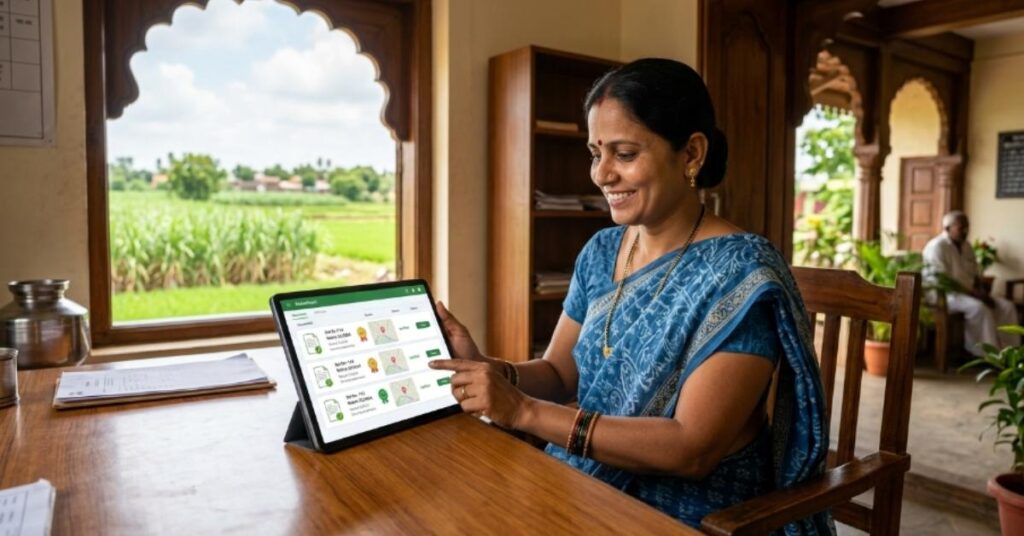
To check a land measurement (Mojni) notice:
- Visit the Aapli Chawadi website.
- Select मोजणी (नोटिसेस), the Measurement (Notices) option.
- Choose your District, Taluka, and Village.
- Fill in the captcha and click Search.
- Browse the list of measurement notices published for that village.
- Click पहा against the entry that matches your survey number to view the full measurement details.
The notice will typically include the survey number, the type of measurement carried out (subdivision, boundary demarcation, or re-survey), and the date it was conducted.
कायदेशीर सल्ल्यासाठी नोंदणी करा
जमीन मोजणी, फेरफार किंवा मालमत्ता पत्रकाशी संबंधित कोणताही वाद असल्यास, अनुभवी वकिलांकडून वैयक्तिक सल्ला घेणे उपयुक्त ठरते. अनेक प्रकरणांमध्ये फेरफार नोंदीवर आक्षेप घेण्याचा कालावधी मर्यादित असतो, त्यामुळे वेळेत योग्य कायदेशीर मार्गदर्शन घेणे महत्त्वाचे आहे.
जर तुम्हाला तुमच्या जमिनीसंबंधी नोंदीबाबत शंका असेल किंवा फेरफार नोंद चुकीची वाटत असेल, तर संबंधित तलाठी कार्यालयाशी संपर्क साधण्यासोबतच स्थानिक जमीन कायदा तज्ज्ञाचा सल्ला घेणे उचित ठरते.
Benefits of Aapli Chavdi

Aapli Chawdi solves several real, everyday problems for landowners and buyers in Maharashtra:
- Saves time and travel: You no longer need to visit the Talathi office or gram panchayat just to check whether a notice has been published.
- Improves transparency: Every mutation and measurement notice is publicly visible, so unauthorized changes are harder to hide.
- Helps buyers verify before purchase: You can confirm whether any mutation is pending on a property before signing a sale deed.
- Protects against fraud: Landowners can regularly check their survey number to spot any unexpected mutation entries early.
- Accessible anytime: The portal works on mobile and desktop, so you can check records outside office hours.
- Supports the objection window: Since mutation notices carry a limited period for raising objections, checking the portal regularly helps you respond before that window closes.
Things to Keep in Mind While Using Aapli Chavdi
A few practical points make the portal easier to use and help you avoid confusion:
- Aapli Chawdi shows notices and mutation status, not the final, current-year 7/12 extract. For the official current 7/12 or 8A document, use the Mahabhulekh portal instead.
- Selecting the wrong District, Taluka, or Village is the most common reason people get a “no record found” result. Double-check the spelling and area before assuming a record doesn’t exist.
- Urban properties are listed under Property Card, not 7/12. If you’re checking a flat or plot within municipal limits and searching under 7/12, you won’t find it.
- Mutation entries can take time to appear after a transaction is registered. If nothing shows up immediately, wait a few days and check again before visiting the Talathi office.
- Objection periods on mutation notices are usually limited, so it’s worth checking the portal soon after a transaction rather than months later.
- The portal displays notices published by the local Talathi, so coverage and update frequency can vary slightly between villages.
Difference Between Aaplichawdi and Mahabhulekh
People often mix up these two portals since both deal with Maharashtra land records. Here’s how they actually differ:
| Aspect | Aapli Chawdi | Mahabhulekh |
| Purpose | Displays notices, mutation status, and measurement updates | Provides the official current 7/12, 8A, and Property Card documents |
| What it shows | Pending and processed mutation entries, ferfar notices, crop inspection records | The finalized land record extract itself |
| Best used for | Tracking whether a mutation or measurement has been recorded | Downloading the current, legally valid 7/12 or 8A extract |
| Document status | Notice board type information, not a certified document | Can be used for legal, banking, and official purposes (especially Digital Satbara) |
| Typical user | Buyers and owners checking transaction status | Anyone who needs the actual land record document |
In short, think of Aapli Chawdi as the tracking and notice system, and Mahabhulekh as the source of the final, official record. Most people end up using both: Aapli Chawdi to confirm a mutation has gone through, and Mahabhulekh to download the updated 7/12 once it has.
FAQ – Aapli Chavdi
Is Aapli Chawdi free to use?
Yes, viewing notices, mutation status, and measurement records on Aapli Chawdi is completely free for all citizens.
Can I download the 7/12 extract from Aapli Chawdi?
No, Aapli Chawdi shows notices and mutation status only. For the official 7/12 or 8A extract, use the Mahabhulekh or Digital Satbara portal.
Why does my property not show up on Aapli Chawdi?
This usually means the wrong district, taluka, or village was selected, or your property is urban and listed under Property Card instead of 7/12.
How long does a mutation take to reflect on Aapli Chawdi?
It varies by village, but most mutation notices appear within a few days to a few weeks after the transaction is registered.
What is the objection period for a mutation notice?
Objections are generally accepted within 15 to 30 days of the notice being published, though the exact window can vary by case.
Is Aapli Chawdi the same as e-Chawadi?
They serve a similar purpose, but e-Chawadi and Aapli Chawadi are separate portal names used in different contexts under the same Revenue Department system.
Can I check urban property records on Aapli Chawdi?
Yes, use the Property Card (Mutation) section instead of 7/12, since urban land is recorded through Property Cards rather than the 7/12 register.
Do I need to register or create an account to use the portal?
No, Aapli Chawdi does not require login or registration. You only need to select district, taluka, village, and enter a captcha to view notices.
Conclusion
Aapli Chawdi gives Maharashtra landowners something the old paper notice board never really offered: easy, reliable access to mutation, measurement, and property card notices from anywhere. Whether you’re confirming a recent purchase, tracking an inherited property’s mutation, or simply keeping an eye on your land records, the portal removes the need for repeated office visits.
Use it alongside Mahabhulekh for a complete picture: check status and notices on Aapli Chawdi, then download the finalized 7/12 or Property Card extract from Mahabhulekh once the mutation is approved. Staying on top of both is the simplest way to protect your ownership rights and avoid disputes down the line.
